![Iconmark - Blue.png]](https://learn.onboard.io/hs-fs/hubfs/Iconmark%20-%20Blue.png?width=40&height=40&name=Iconmark%20-%20Blue.png)
Once you have been invited to participate in multiple projects, the 'Overview' page will automatically appear on the left hand menubar. (see below)
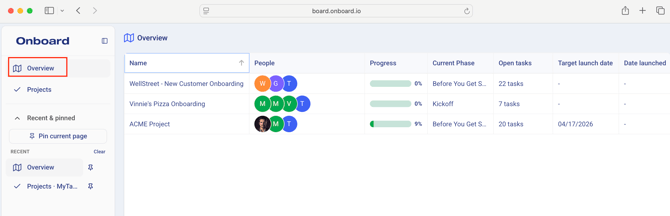
The 'Overview' page will provide you with high level information on your project, including the project name, people involved in the project, project completion percentage, current phase, # of open tasks, target launch date, and date launched. You can click on the column headers to sort the table results 'ascending or descending', or click the 'gear' to select which columns of data to include within the table. Finally, simply click the project name to open up the project dashboard for each project. Once you click into a project, the project name will appear at the top.
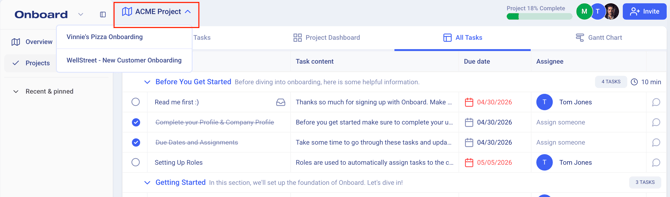
*Pro tip: You can also click that Project title to select and easily toggle between your projects.
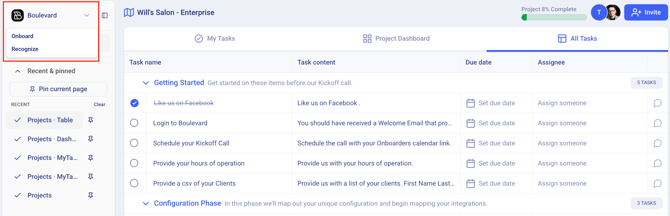
Note that if you have been invited to participate in projects by multiple companies using Onboard.io software, you can also toggle between the multiple companies by clicking the Company Name / Logo in the top left corner (as seen below).