![Iconmark - Blue.png]](https://learn.onboard.io/hs-fs/hubfs/Iconmark%20-%20Blue.png?width=40&height=40&name=Iconmark%20-%20Blue.png)
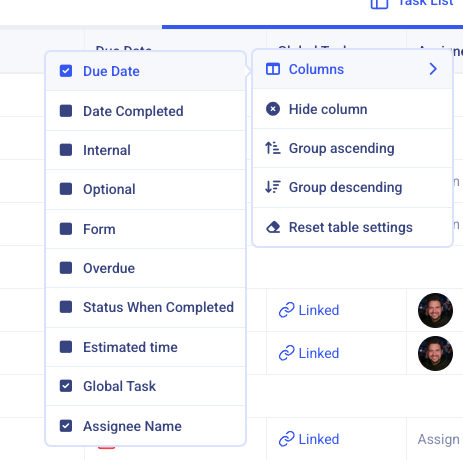
Simply navigate into your project and then into the <Task List> view. This is the table view of all tasks associated with that project. Next, hover over one of the columns, click the gear, and you'll see a list of the columns you can activate. (see below). Click the 'Date Completed' column header to add this column to the Task List table. This will show you the date each task was completed!