![Iconmark - Blue.png]](https://learn.onboard.io/hs-fs/hubfs/Iconmark%20-%20Blue.png?width=40&height=40&name=Iconmark%20-%20Blue.png)
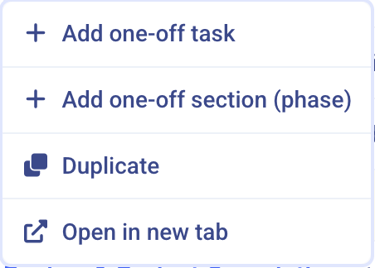
Pro Tip # 1. Did you know that when working on a project you can 'right click' within the task list for a list of quick actions. These include adding a one-off task, adding a one-off section (phase), duplicating a task, or opening that task in a new tab.
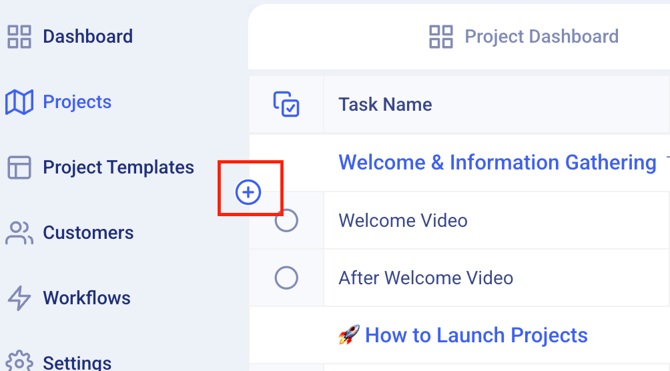
Pro Tip # 2. Another slick way to quickly insert a new task or section header within the project task list that you are working on can be found by hovering over each task or section header; and you'll notice a '+' symbol pop up on the left hand margin for the row that you are hovering over. Clicking this '+' symbol will allow you to add a 'one time task', 'global task', 'one time section' or 'global section' in line (directly below) whichever row you clicked on.