![Iconmark - Blue.png]](https://learn.onboard.io/hs-fs/hubfs/Iconmark%20-%20Blue.png?width=40&height=40&name=Iconmark%20-%20Blue.png)
If you have access to the onboard.io management portal and would like to export data pertaining to projects launched within Onboard.io, there are a few ways to pull this information.
1. The first way is to navigate over to your Projects page. In the top right hand corner click on the 'export' button to pull a csv file.
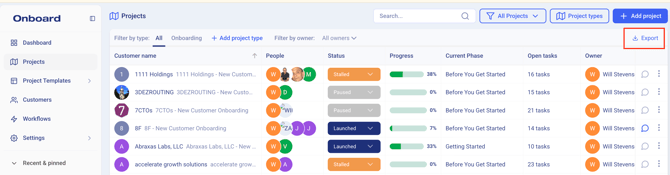
The csv file will contain all relevant project related data, 111 fields in all. By way of example, some of the more useful fields are below:
[Project name, project status, project launch date, expected vs. actual launch date, project created date, customer and project team assessment, key contacts, project notes, milestones, client information, team member information, task data, onboarding stats, and more.]
2. The second way to pull detailed project level stats and information out of the Onboard.io application is through the KPI Dashboard. For those that have access to the KPI dashboard it contains filters and an export function that will allow you to tailor your export file.
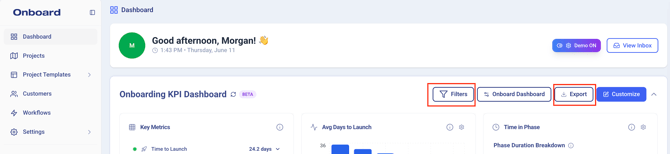
You can filter by Customer, Owner, Project status, or Date range. Once you have your filters applied, you can click export and it will honor the applied filters. The export csv file will contain each of the KPI metric tiles. (listed below)
[KPI Summary, Companies by stage, customers per owner, tasks per owner, phase times, velocity trends, companies by stage (detailed), and more. ]