![Iconmark - Blue.png]](https://learn.onboard.io/hs-fs/hubfs/Iconmark%20-%20Blue.png?width=40&height=40&name=Iconmark%20-%20Blue.png)
To view all custom form submissions, navigate to the following: From the left hand main menu click on Settings < Custom Forms. Next, click on the 3 dots next to the custom form that you'd like to view all customer submitted data, and select 'View Submissions'.
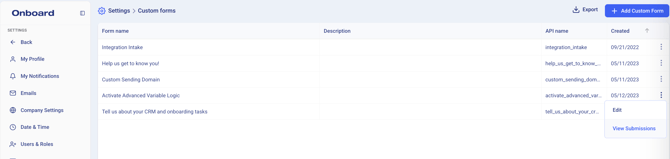
Once you click 'View Submissions' you will see a table of all form questions (as column headers) with each of the customer responses below in line with their row. There will also be a 'submission date' column which denotes the date and time the form was submitted. You can click into the column headers to edit/add/remove any columns, or sort as appropriate. Lastly, you can click the 'Export' button in the top right corner to export all of the custom form customer submissions into a csv / spreadsheet file.
