![Iconmark - Blue.png]](https://learn.onboard.io/hs-fs/hubfs/Iconmark%20-%20Blue.png?width=40&height=40&name=Iconmark%20-%20Blue.png)
Date and Time Settings
You can control how dates and times appear throughout Onboard using the Date & Time settings.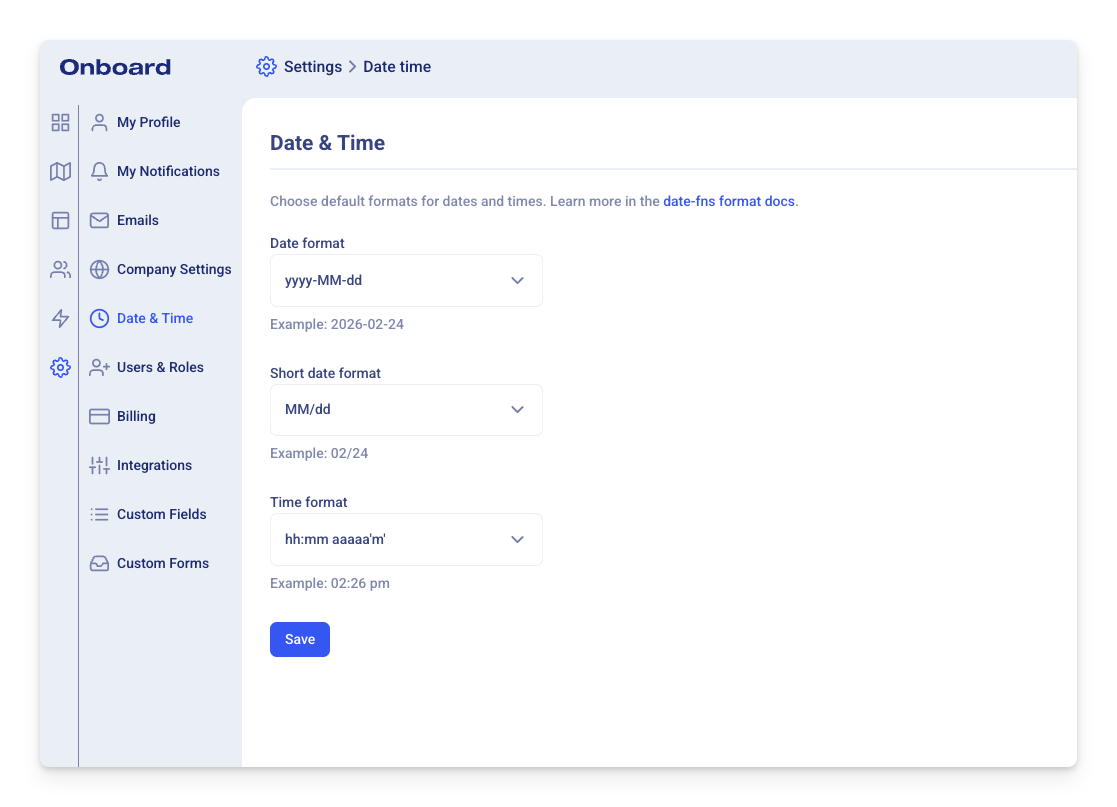
This is especially helpful if you prefer a specific regional format (for example, the European dd.MM.yyyy format instead of MM/dd/yyyy).
Who Can Access This Page?
Only Admins have access to the Date & Time settings page.
You can find it here:
https://app.onboard.io/settings/date-time
Or navigate in the app:
Settings → Date & Time
What You Can Configure
There are three separate fields you can customize:
-
Date format
-
Short date format
-
Time format
Each field includes:
-
Several preset options
-
A Custom option where you can enter any valid date-fns format
Validation is in place on both the frontend and backend to ensure only valid formats can be saved.
Default vs Custom Formats
You can either:
-
Select one of the built-in presets
-
Choose Custom and enter your own valid format string
For example:
-
yyyy-MM-dd→ 2026-02-24 -
MM/dd/yyyy→ 02/24/2026 -
dd.MM.yyyy→ 24.02.2026 -
MMMM d, yyyy→ February 24, 2026
Once saved, dates across the app will display using your selected format.
Where the Changes Apply
Date and time format settings apply:
-
Throughout the entire Onboard app
-
In the Customer Portal